Delegated Administrator Account
Check AWS Lambda functions
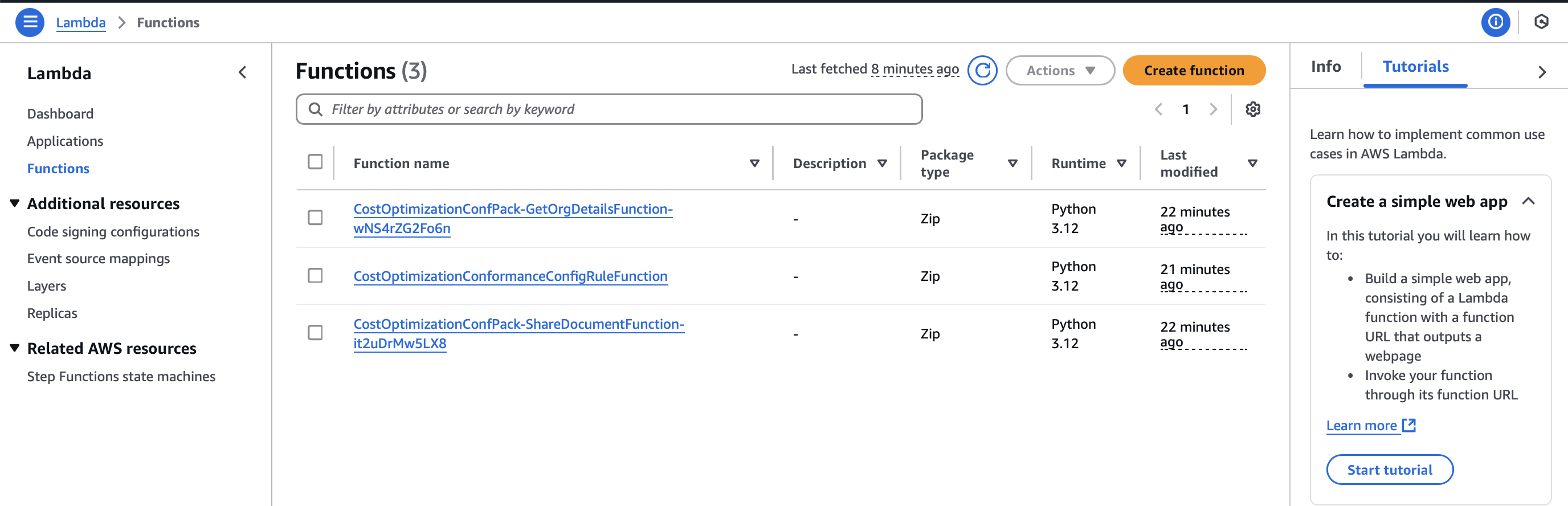
We have 3 Lambda functions:
CostOptimizationConfPack-GetOrgDetailsFunctioncontains logic to list member accounts, excluding the administrator account from the CloudFormation deployment targetsCostOptimizationConfPack-ShareDocumentFunctioncontains logic to share the SSM Document created by the delegated administrator account, granting read access to member accountsCostOptimizationConformanceConfigRuleFunctiondefines the evaluation logic for the custom AWS Config rule
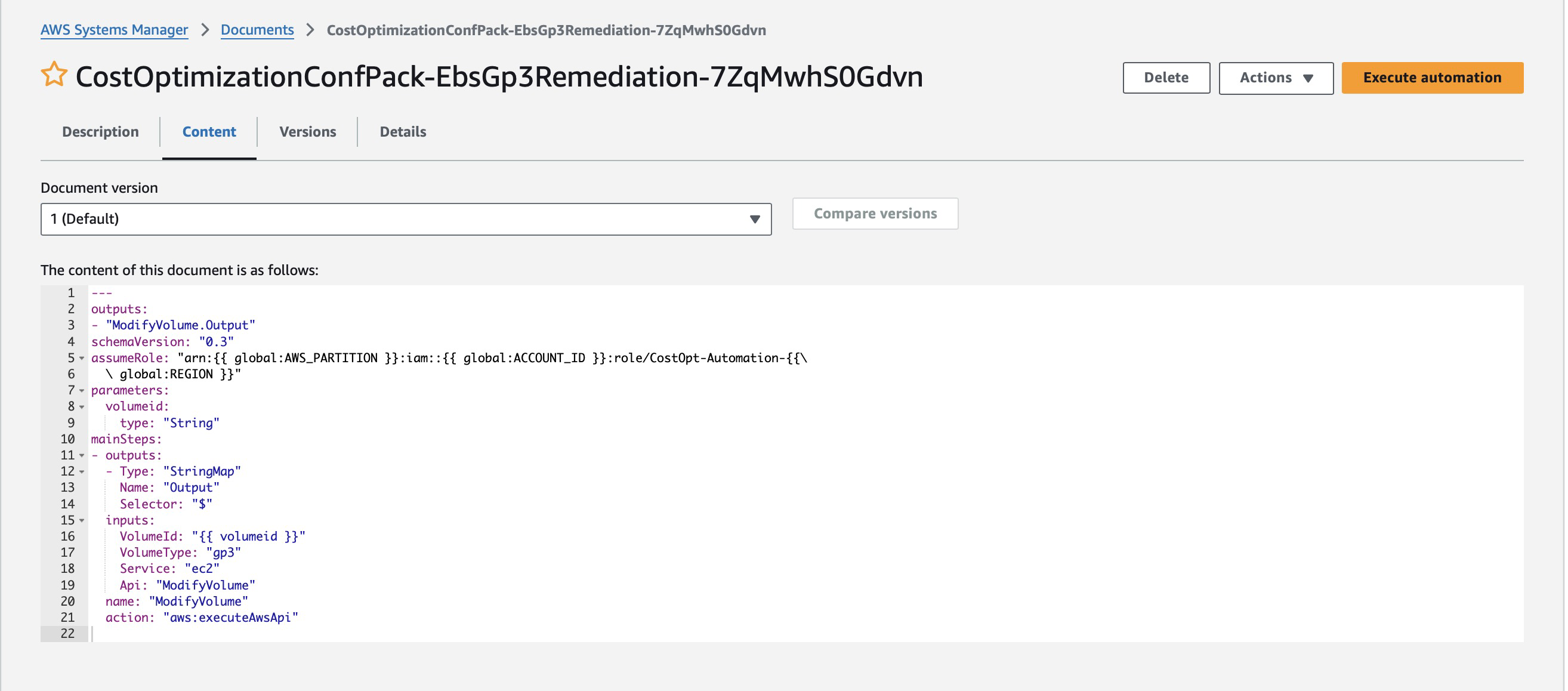
Check AWS Systems Manager Document:
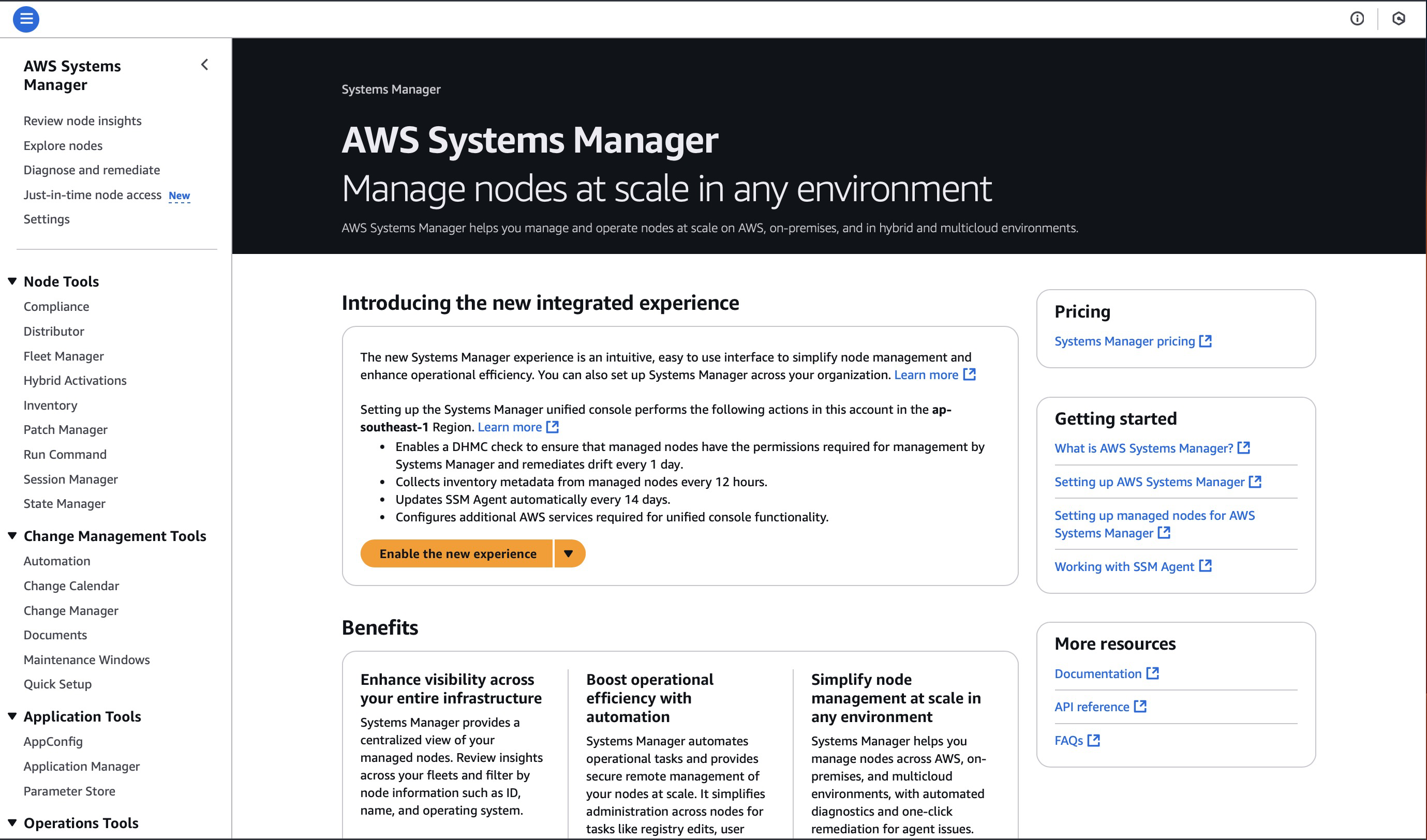
Navigate to the Systems Manager service page, then select “Documents” from the left navigation pane:
Select the “Owned by me” tab and verify that there is a document named
CostOptimizationConfPack-EbsGp3Remediation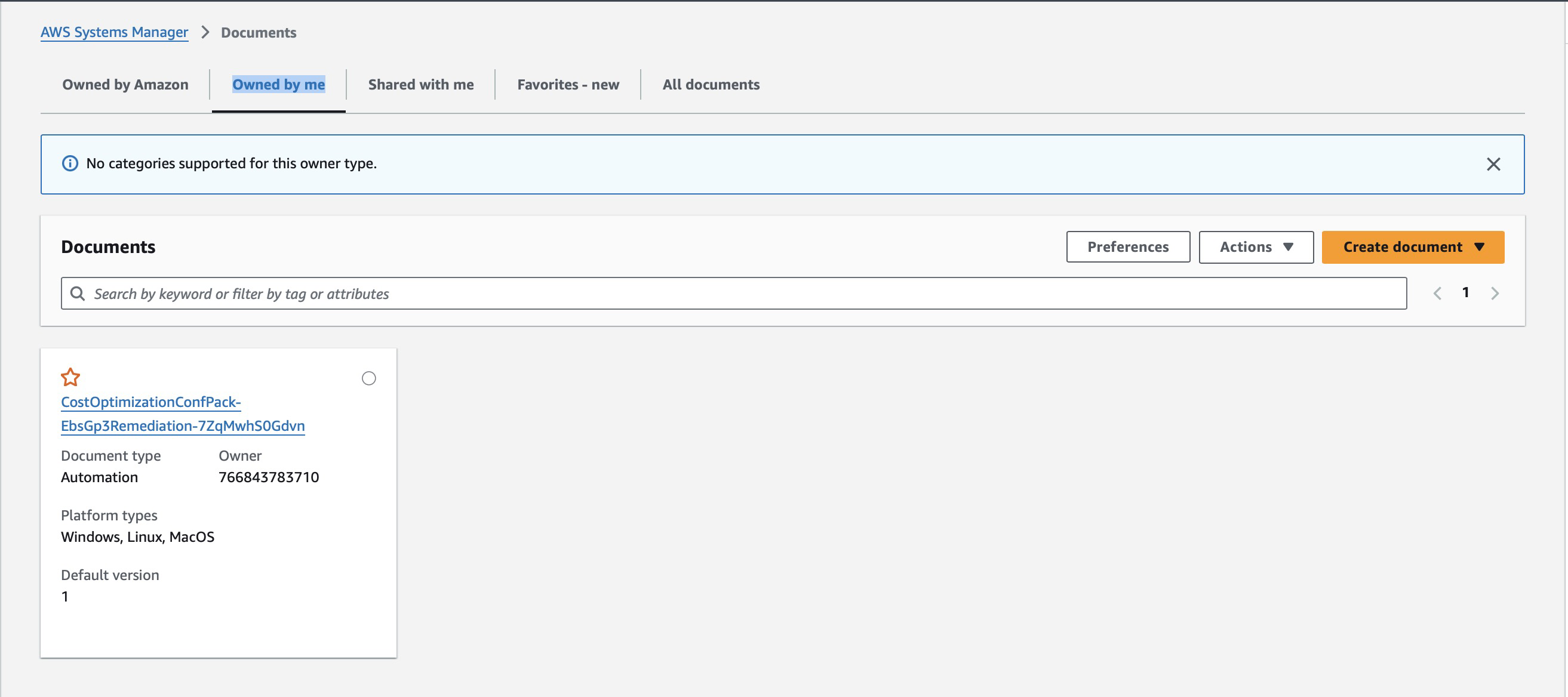
Select the document and view its content:
This document takes an EBS volume ID as input and modifies the corresponding EBS volume type to gp3
AWS Config Aggregator is a resource type that centrally collects AWS Config configuration and compliance data from multiple sources (cross-account, cross-Region)
Check AWS Config Aggregator
3.1 Access the AWS Config service
3.2 In the left navigation pane, select Aggregator and then Conformance packs
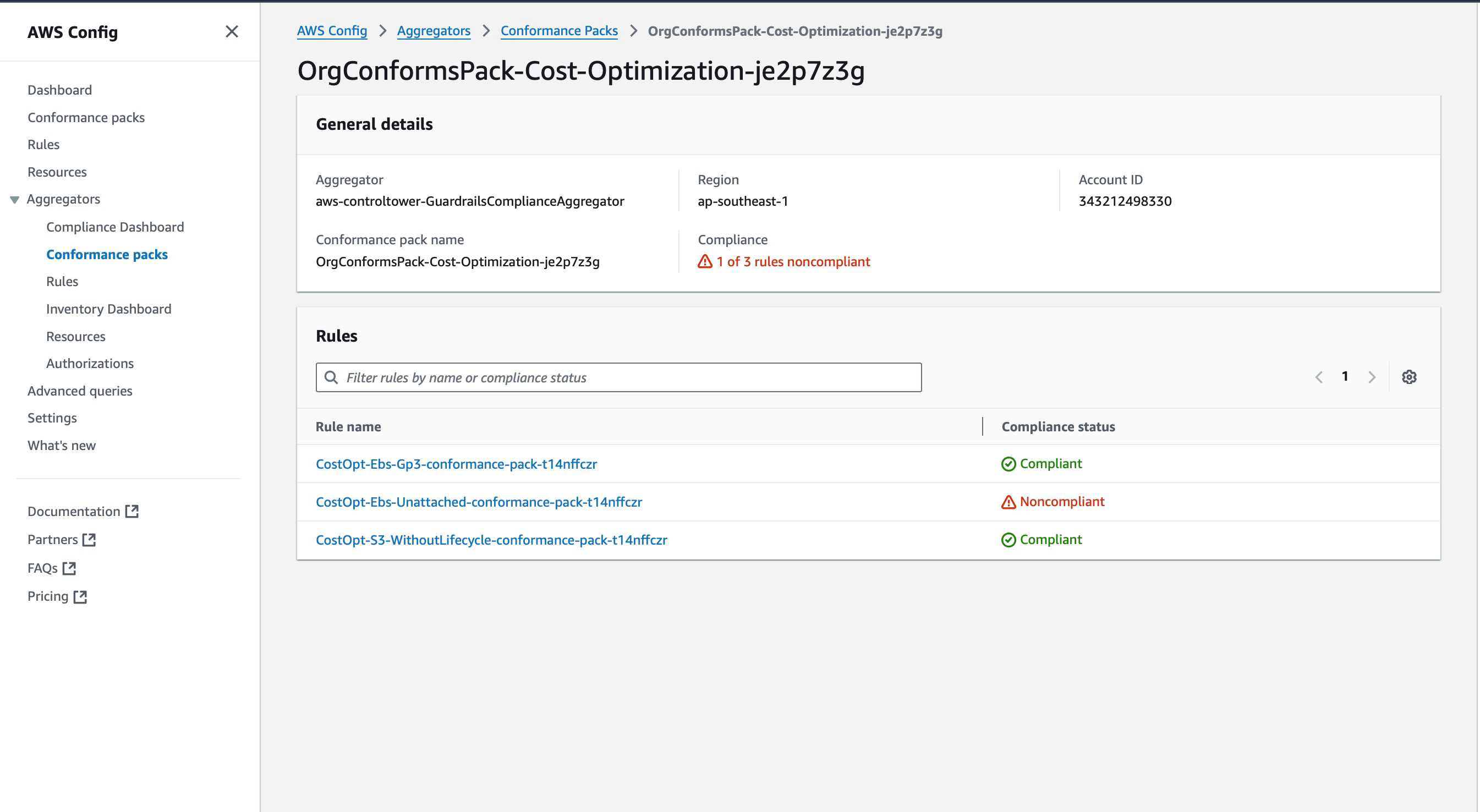
📌 This is the dashboard that allows administrators to centrally monitor rules and compliance status of resources across accounts and the entire organization
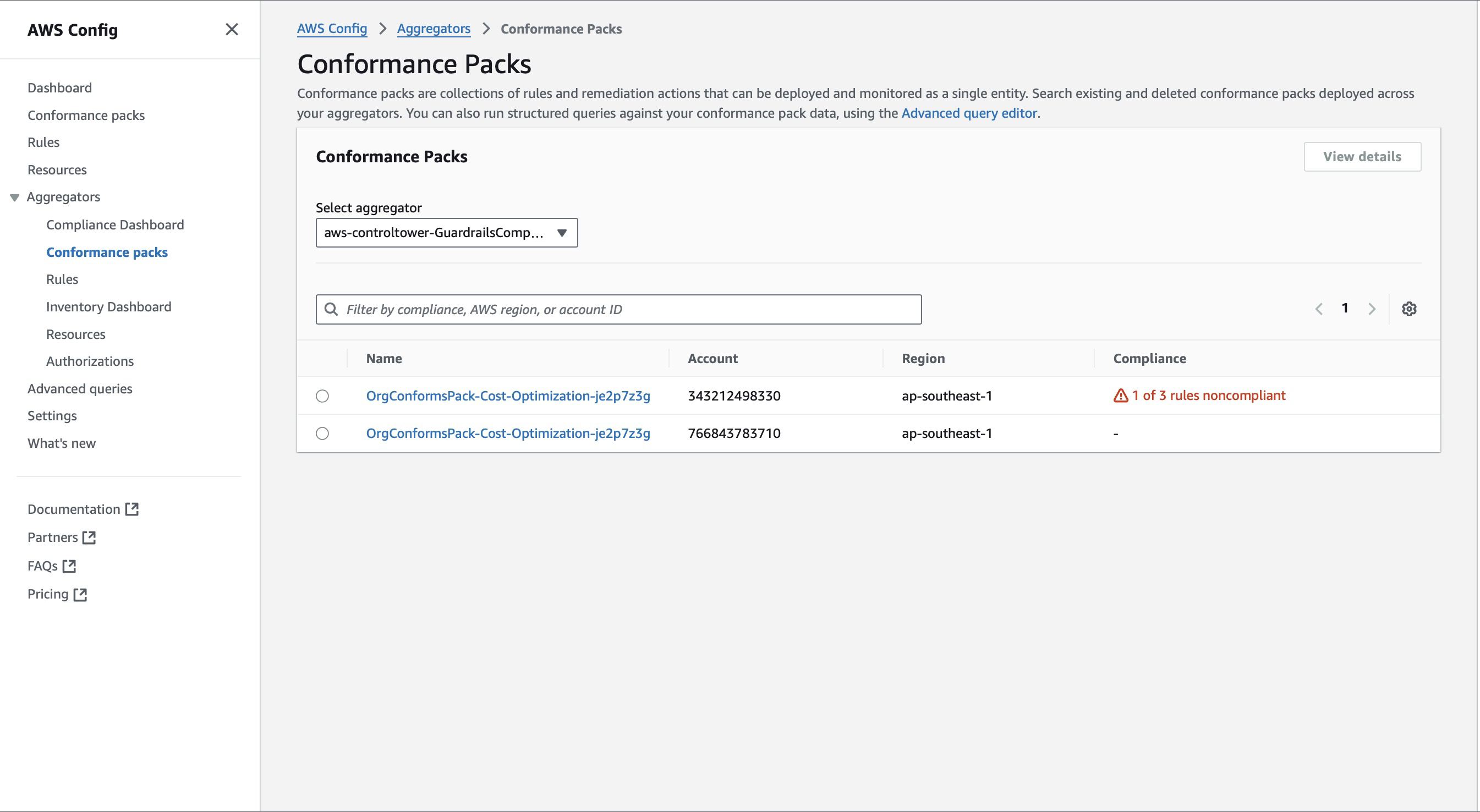
3.3 Depending on how many accounts are in your organization, you will have that many Conformance packs
3.4 Check the rules included in the pack