Deploy Conformance Pack
Overview
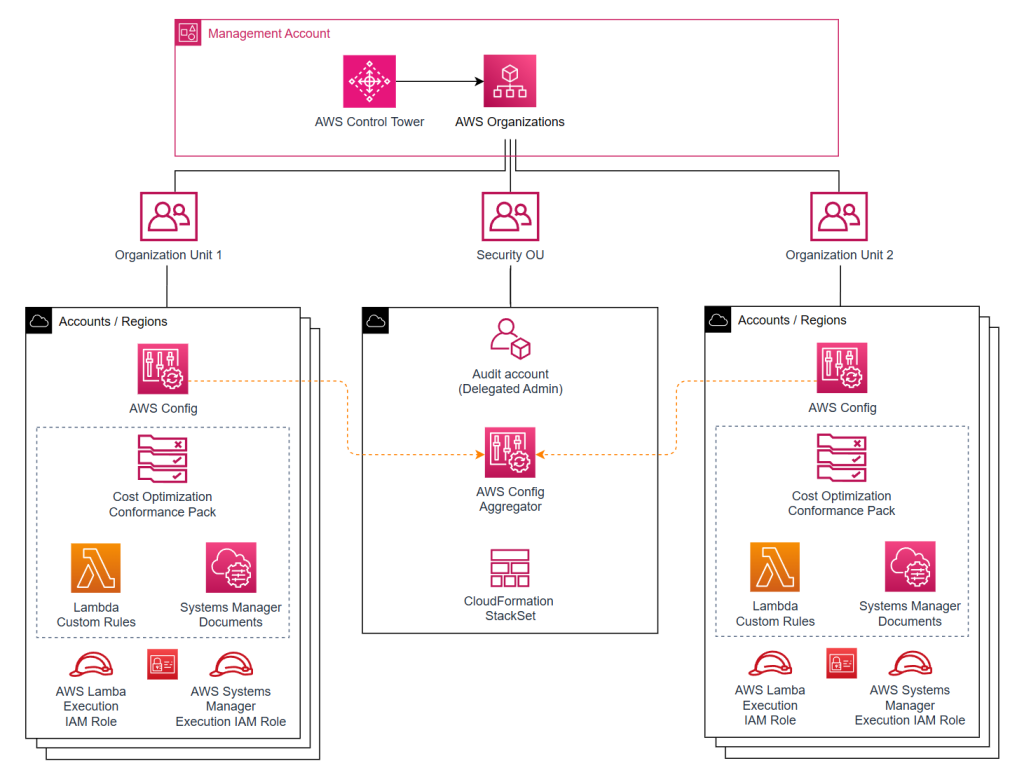
We will use the Audit account to deploy resources in the solution using AWS CloudFormation, including:
- A CloudFormation StackSet: deploys a set of resources in bulk to multiple accounts
- A CloudFormation Stack: deploys supporting resources to help distribute the resources defined in the CloudFormation StackSet to the designated member accounts.
Deployment
Download the CloudFormation template here
Sign in to the AWS CloudFormation management console using the Audit account
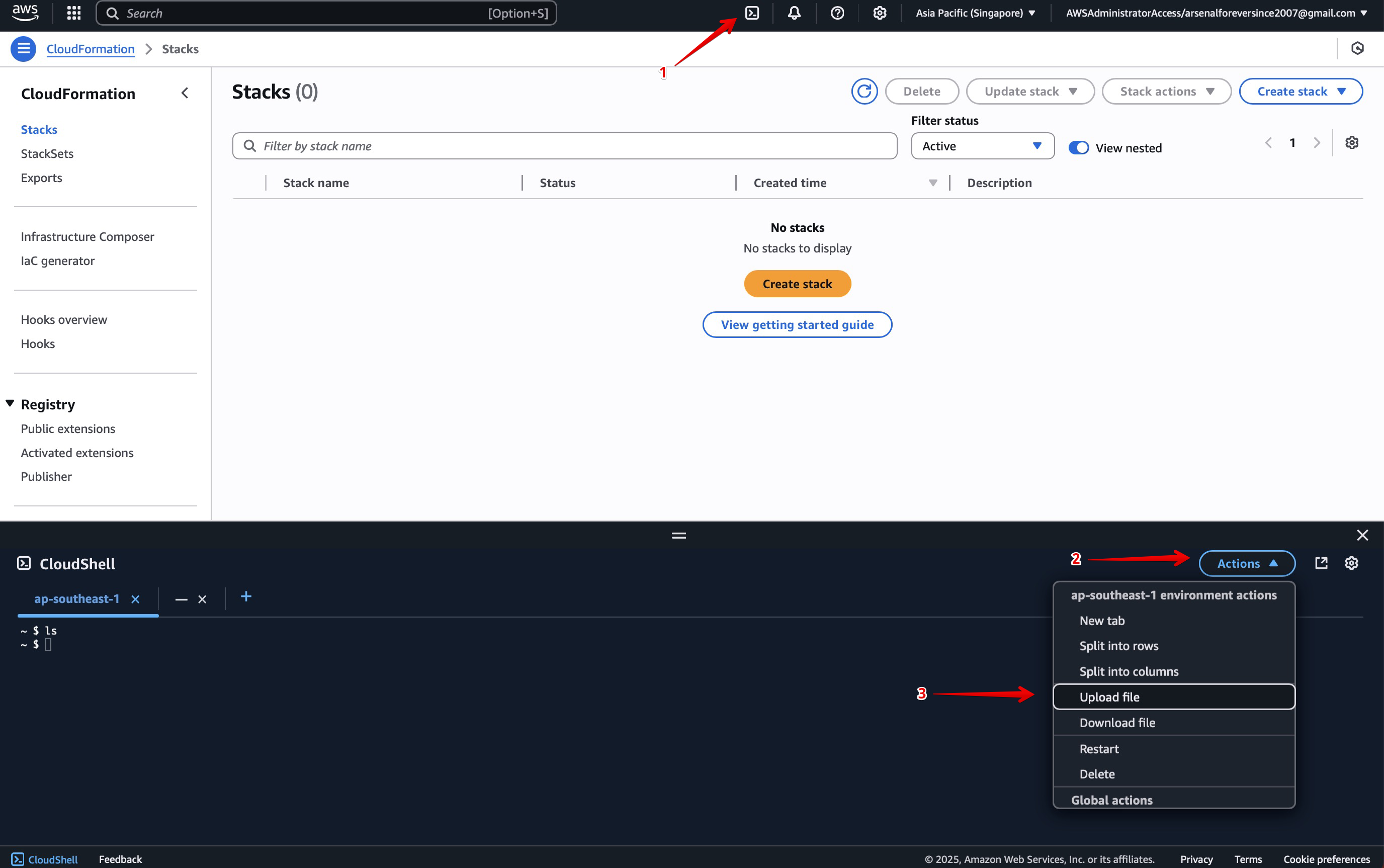
In the main console, open CloudShell, select Actions then Upload file
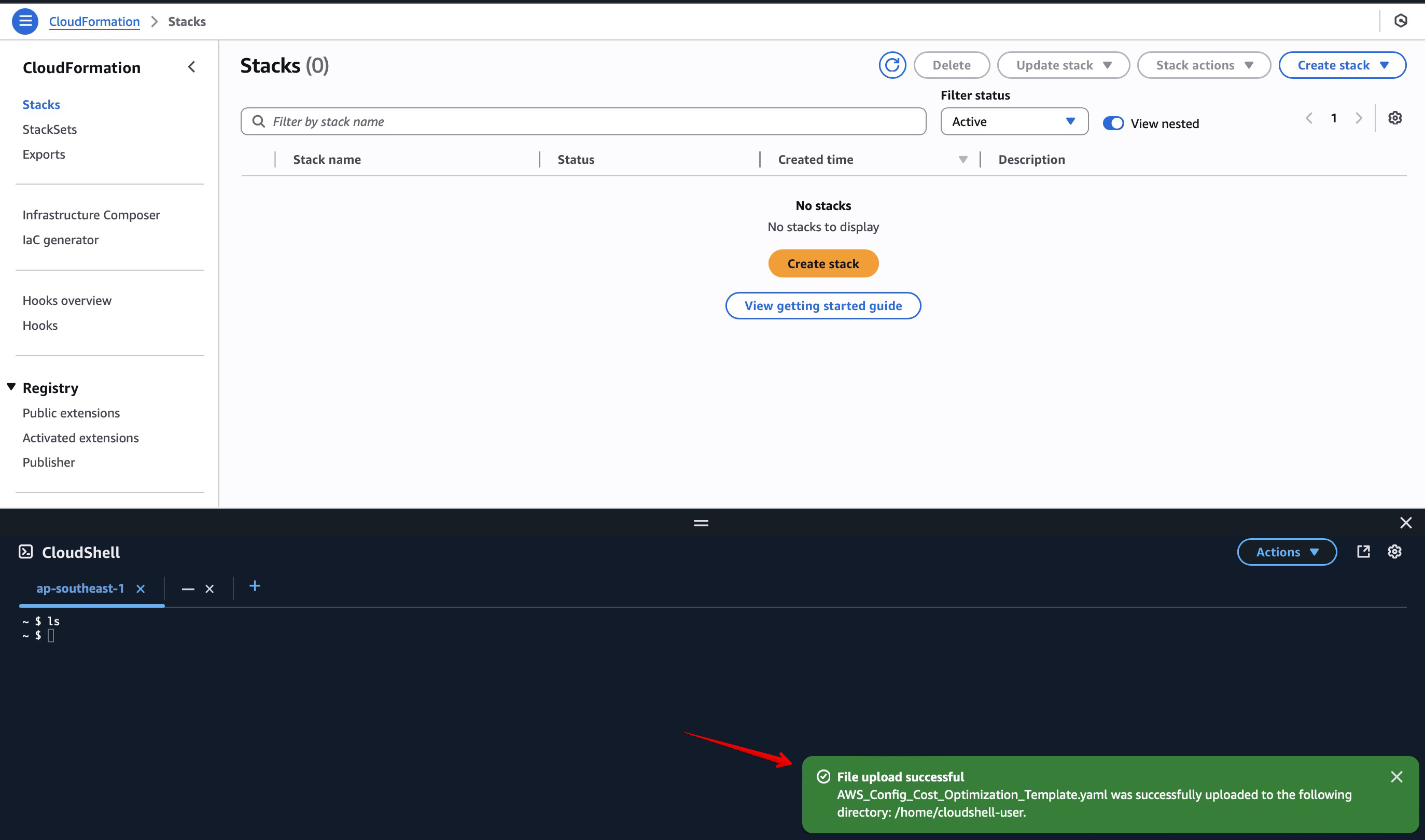
Verify the CloudFormation template has been successfully uploaded
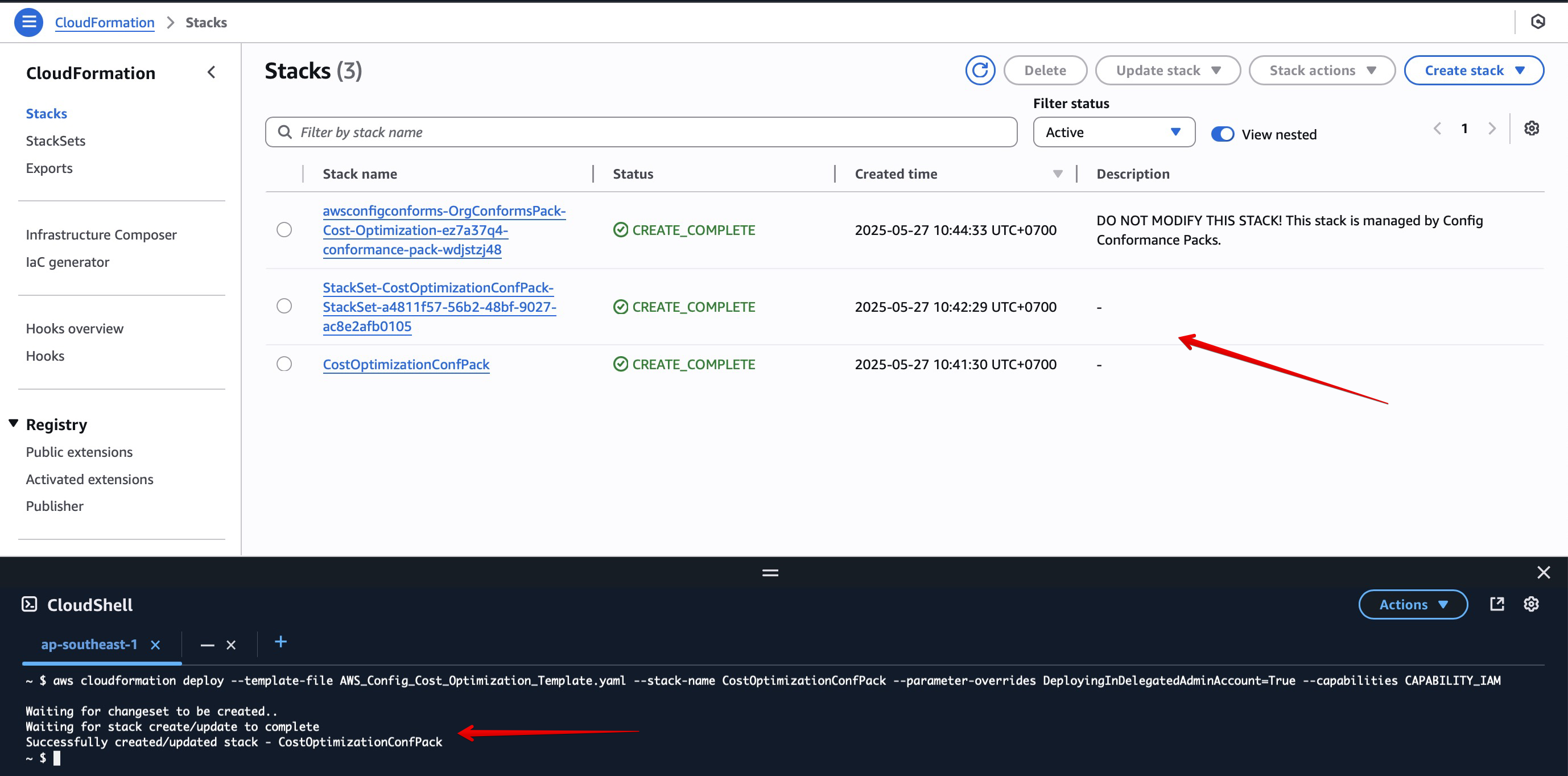
Then enter the following command to deploy the Conformance Pack:
aws cloudformation deploy --template-file AWS_Config_Cost_Optimization_Template.yaml --stack-name CostOptimizationConfPack --parameter-overrides DeployingInDelegatedAdminAccount=True --capabilities CAPABILITY_IAM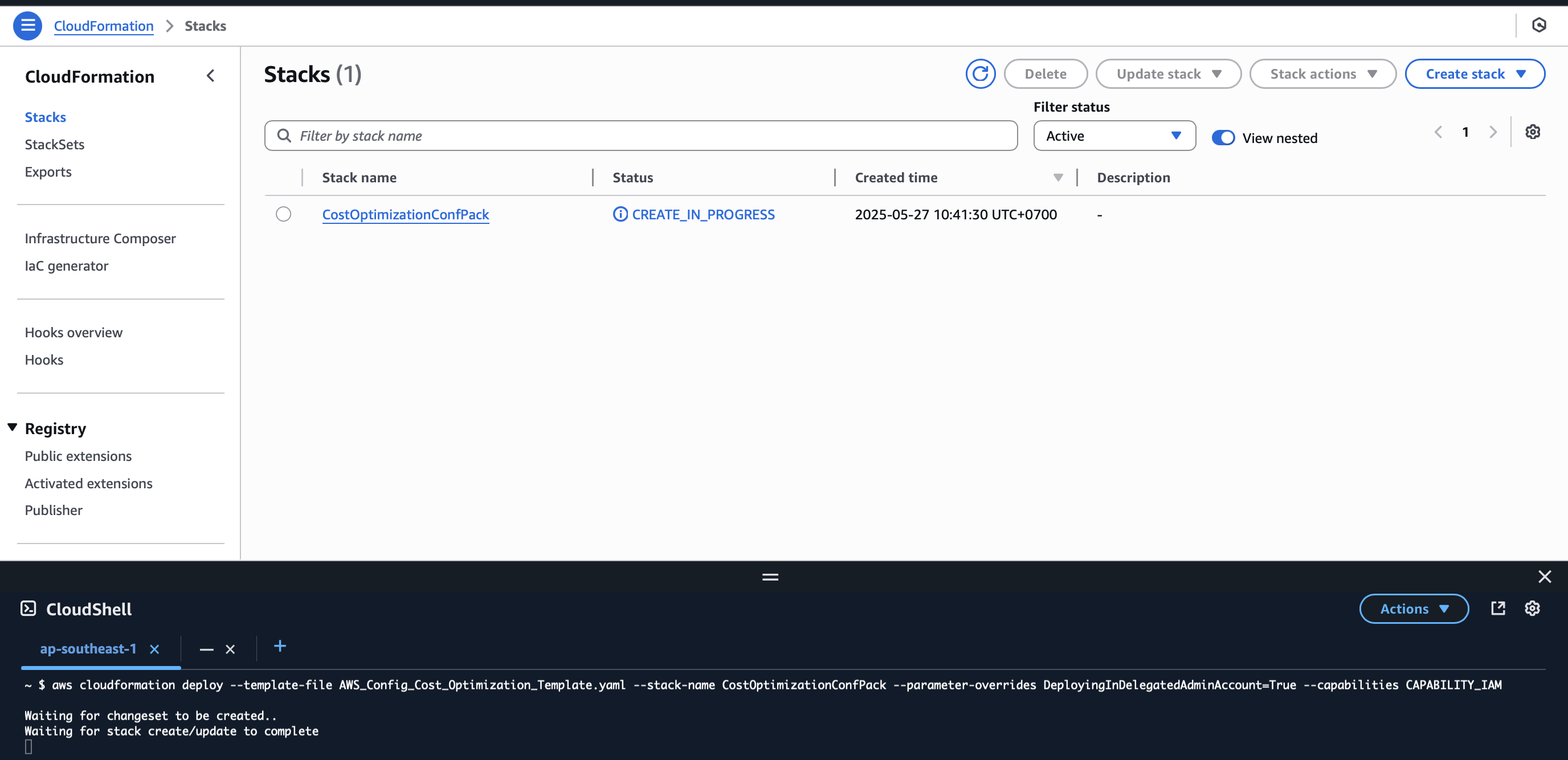
After approximately 5–10 minutes, the deployment completes successfully