Set up Landing Zone
Set up Landing Zone
Access the AWS Control Tower Management Console (AWS Control Tower):
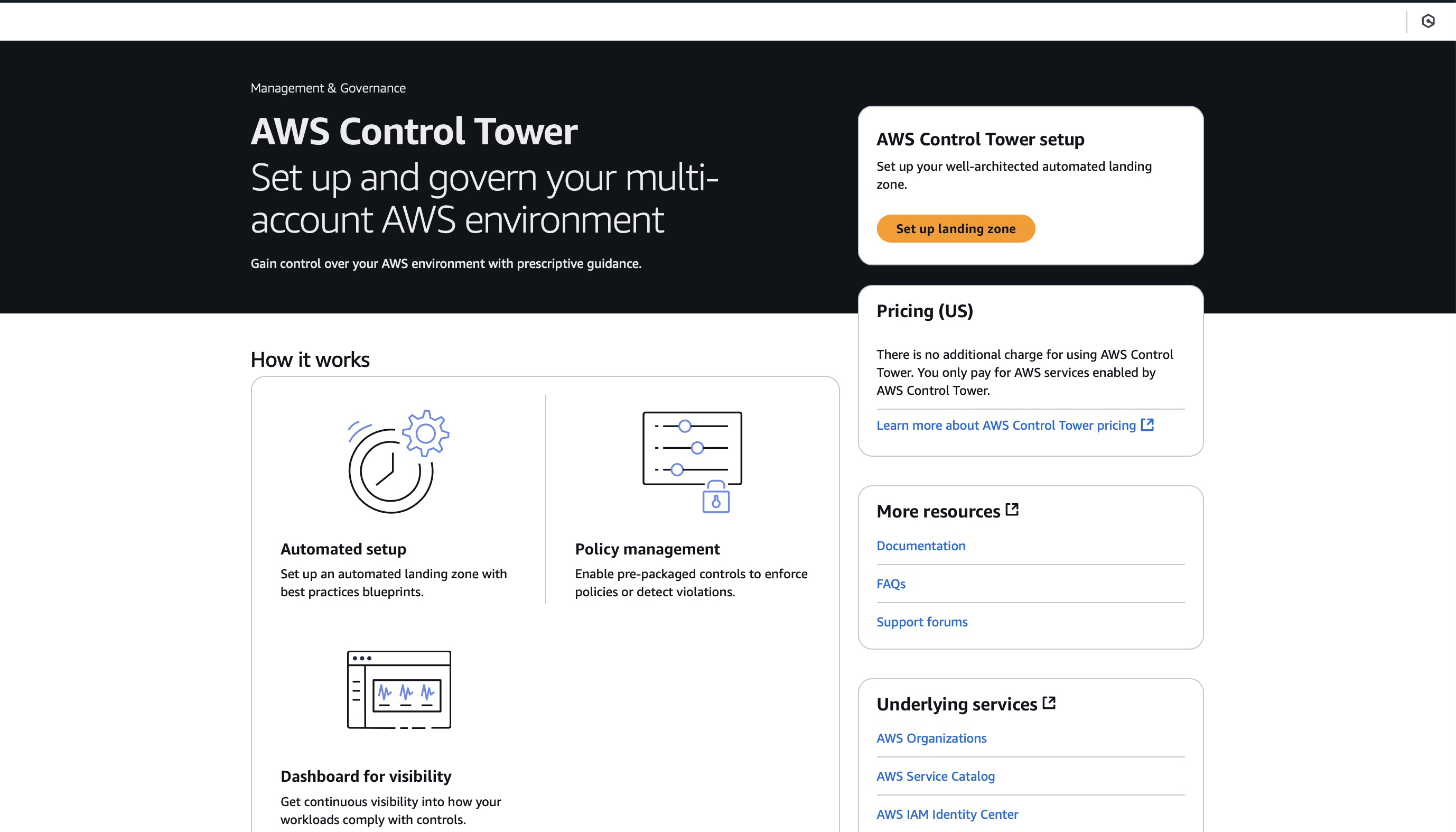
Select Set up landing zone.
It takes approximately 15 minutes for AWS Control Tower to complete the setup.
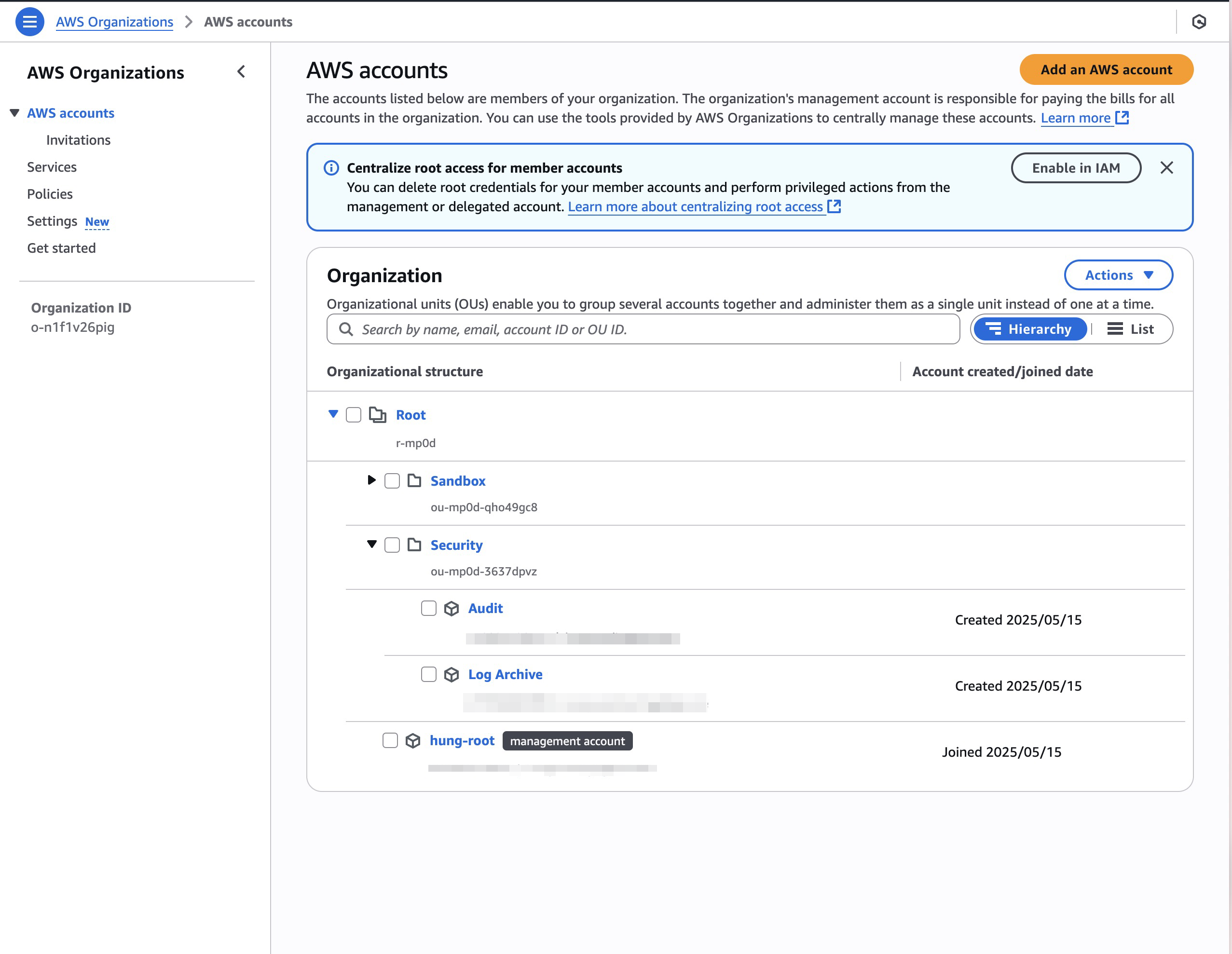
Once completed, Control Tower automatically creates two mandatory member accounts: the Audit account and the Log Archive account, and sets up the basic Organizational Units (OUs): Security OU (containing the Audit and Log Archive accounts), Sandbox OU (for testing), and Root OU (containing the management account).
Review the Organizational Units (OUs) structure:
Navigate to the “Organization” section in Control Tower.
Confirm the creation of the following basic OUs:
• Security OU (containing the Audit and Log Archive accounts)
• Sandbox OU (for test environments)
• Root OU (containing the management account)
Verify any additional OUs you configured.
Verify the core accounts:
In the “Organization” section, verify the following accounts: • Management account (your root account) • Audit account • Log Archive account
Ensure these accounts are assigned to the correct OUs.
💡 During the Landing Zone setup, AWS Control Tower automatically configures AWS Config for member accounts (recorders, delivery channels). For the Audit account, Control Tower deploys an AWS Config Aggregator, which provides centralized monitoring of compliance rules for resources across the organization.
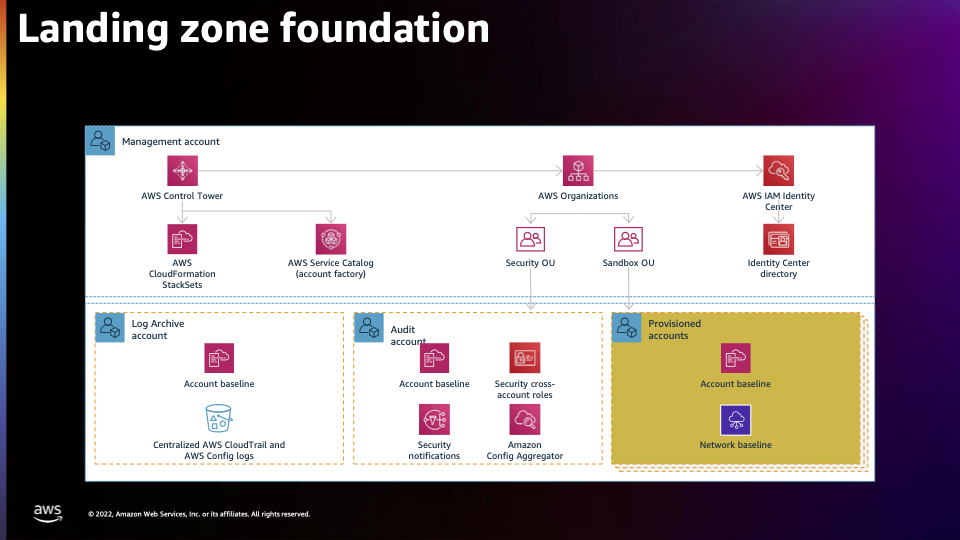
📌 The diagram illustrates how AWS Control Tower automatically provisions and governs a multi-account environment with standardized governance, security, and account provisioning through the central management account.